
Description
Buy Notion Plus Account — Genuine Subscription, Delivered in Minutes
Notion is what happens when notes, tasks, wikis and databases stop being four separate apps. A page can be a document, and that document can contain a table, and that table can be a live database that another page also reads from. Once it clicks, most people never go back to keeping meeting notes in one place and the project tracker in another.
The free plan is generous until the exact moment it is not — you hit the block limit, or the 5 MB file cap, or you need to invite someone. Buying a Notion Plus account removes all of those ceilings at once: unlimited blocks, unlimited file uploads, 30-day version history and up to 100 guests.
Every Notion Plus account we sell is a real, working subscription with a warranty that lasts as long as the plan you choose. You pick the duration at checkout, pay once, and the login details reach you by email — usually within minutes, and always within a few hours.
What You Get With Your Notion Plus Account
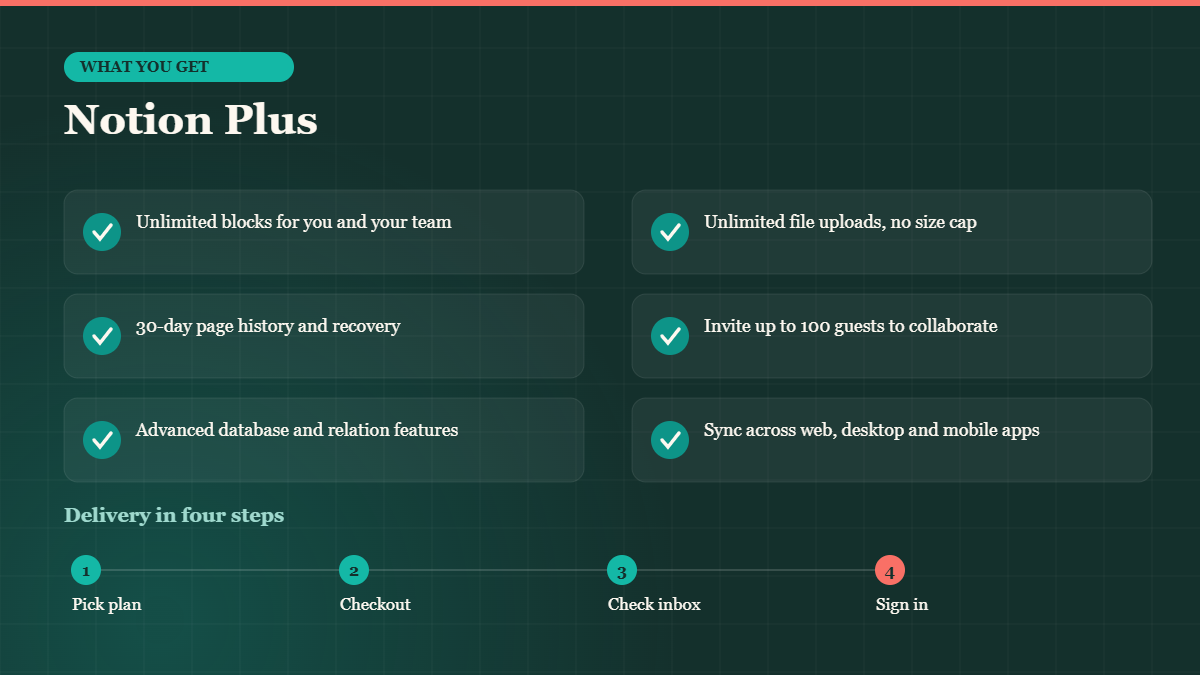
- Unlimited blocks for you and your team
- Unlimited file uploads, no size cap
- 30-day page history and recovery
- Invite up to 100 guests to collaborate
- Advanced database and relation features
- Sync across web, desktop and mobile apps
- Warranty and replacement for the full length of your plan
- Email delivery, usually within minutes of your order
Choose Your Plan Length
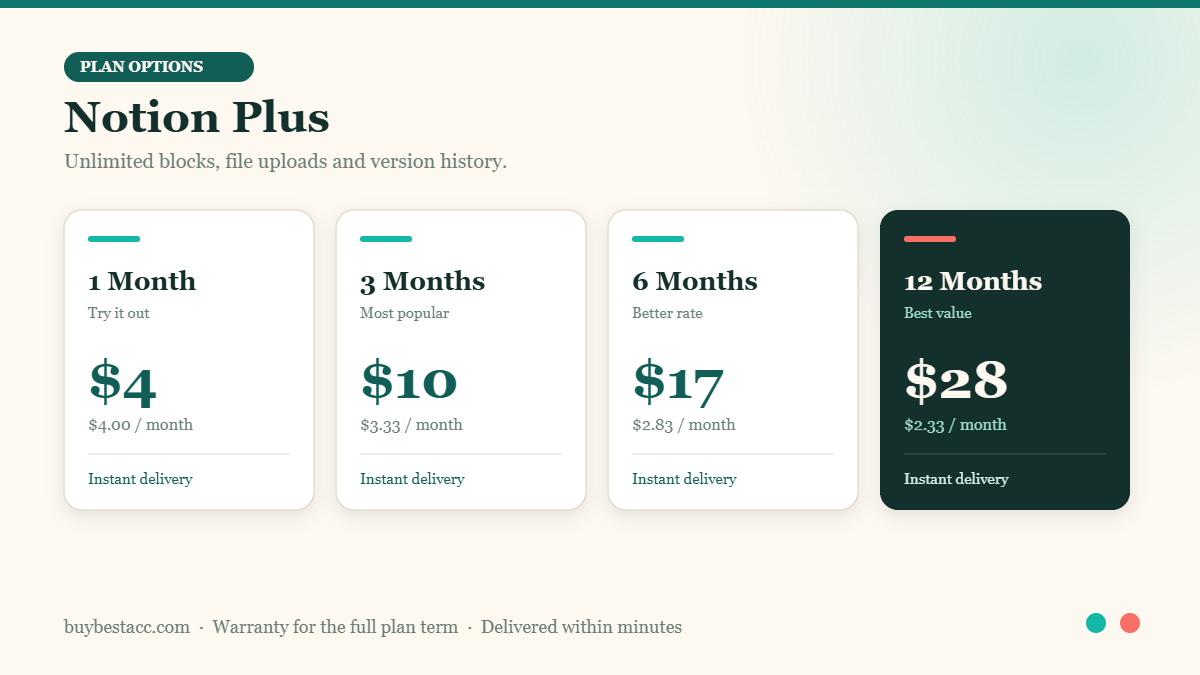
The longer the plan, the lower the effective monthly cost. If you are testing Notion Plus for a specific project, take the shorter option; if it is going to be part of your daily workflow, the 12-month plan is comfortably the best value.
| Plan | Price | Effective monthly rate |
|---|---|---|
| 1 Month | $4.00 | $4.00 / month |
| 3 Months | $10.00 | $3.33 / month |
| 6 Months | $17.00 | $2.83 / month |
| 12 Months | $28.00 | $2.33 / month |
Why Notion Plus Is Worth It
Unlimited blocks is the headline, but version history is the feature that saves you. Notion Plus keeps 30 days of page history, so a page someone accidentally emptied on Tuesday can be restored exactly as it was. On a shared workspace that is not a nicety, it is insurance.
Unlimited file uploads change how the tool is used. Instead of linking out to a drive for every PDF, contract, image and export, the file simply lives inside the page it belongs to. Your workspace becomes the single place you look, which was the point of Notion in the first place.
Databases are where the real leverage is. One table of tasks can appear as a kanban board on one page, a calendar on another, and a filtered list on a third — all the same underlying data, presented the way each person needs it. Add Grammarly Premium on top and everything you write inside Notion is checked as you type.
Who This Notion Plus Account Is For
- Teams running projects, wikis and documentation in one workspace
- Freelancers tracking clients, invoices and deliverables
- Students building a second brain of notes and sources
- Founders keeping specs, roadmaps and meeting notes together
- Anyone who has outgrown the free plan block limit
How Delivery Works
Ordering is deliberately simple. Choose your plan length on this page, add it to the cart and complete checkout. Once the order is confirmed we prepare the account and email you the login details along with any setup notes you need. Most orders are delivered within minutes; at busy times it can take a few hours, and if anything is going to be slower than that we will tell you rather than leave you waiting.
If you would like the account created on a specific email address, mention it at checkout or send us a note through the contact page right after ordering. We will confirm before we set anything up. You can read more about how we work and why we operate this way on our about page.
Warranty and Support
Your Notion Plus account is covered for the entire term of the plan you purchased. If it stops working, if you are locked out, or if anything does not match what was described on this page, contact us and we will repair or replace it. No arguing, no runaround — a replacement is faster for us than a dispute, and we would rather you came back than left unhappy.
Questions before you buy are welcome too. Reach us through the contact form and we will give you a straight answer, including telling you if this is not the right product for what you are trying to do.
Buying a Notion Plus Account Safely — What to Look For
There are a lot of places selling subscription accounts and the quality varies enormously, so it is worth knowing what separates a seller you can rely on from one you cannot. Three things matter more than price. First, a warranty that actually covers the whole term you paid for, not seven days. Second, a real human you can reach after the sale — if there is no contact route beyond a checkout button, that tells you what support will look like when something breaks. Third, honesty about what you are getting: which tier, which features, and whether it goes on your own email address or a supplied one.
We try to be straightforward on all three. The Notion Plus warranty runs the full length of your plan, the contact page reaches a person rather than a void, and everything included is listed plainly above rather than buried. If something on this page is unclear, ask before you order — we would much rather answer a question than process a refund.
It is also worth being realistic about what an account like this is for. It is a cost-effective way to get working access to Notion Plus for a defined period. If you are running critical business infrastructure that must never be interrupted, buy direct from the vendor and pay the list price — that is the honest advice, and we would rather give it than sell you the wrong thing.
Frequently Asked Questions
What is a block?
Every paragraph, image, table row or toggle in Notion is a block. Plus removes the free-tier limit on how many you can create.
How many people can I share with?
Notion Plus allows up to 100 guests to collaborate on your workspace.
Can I recover a deleted page?
Yes. Plus includes 30 days of page history so you can roll back or restore content.
Does it sync across devices?
Yes, web, desktop and mobile apps all stay in sync with the same account.
How do I pay?
Checkout accepts the payment methods listed on the cart page. If you need an alternative method, message us first and we will sort it out.
Related Software Accounts
Most people buying Notion Plus end up pairing it with one or two of these:
You can browse the full range on the software accounts category page, or see everything we stock — AI, cloud, social and software — in the main shop.
Reviews
There are no reviews yet.